CLI
Script catalogs and manifest-as-code from your terminal. Installs the geolens command.
pip install geolens-cli What GeoLens does, capability by capability: finding data in the catalog, building maps from it, running analysis where the data already lives, serving it over open standards, and keeping the whole thing running afterwards.
Search and discover
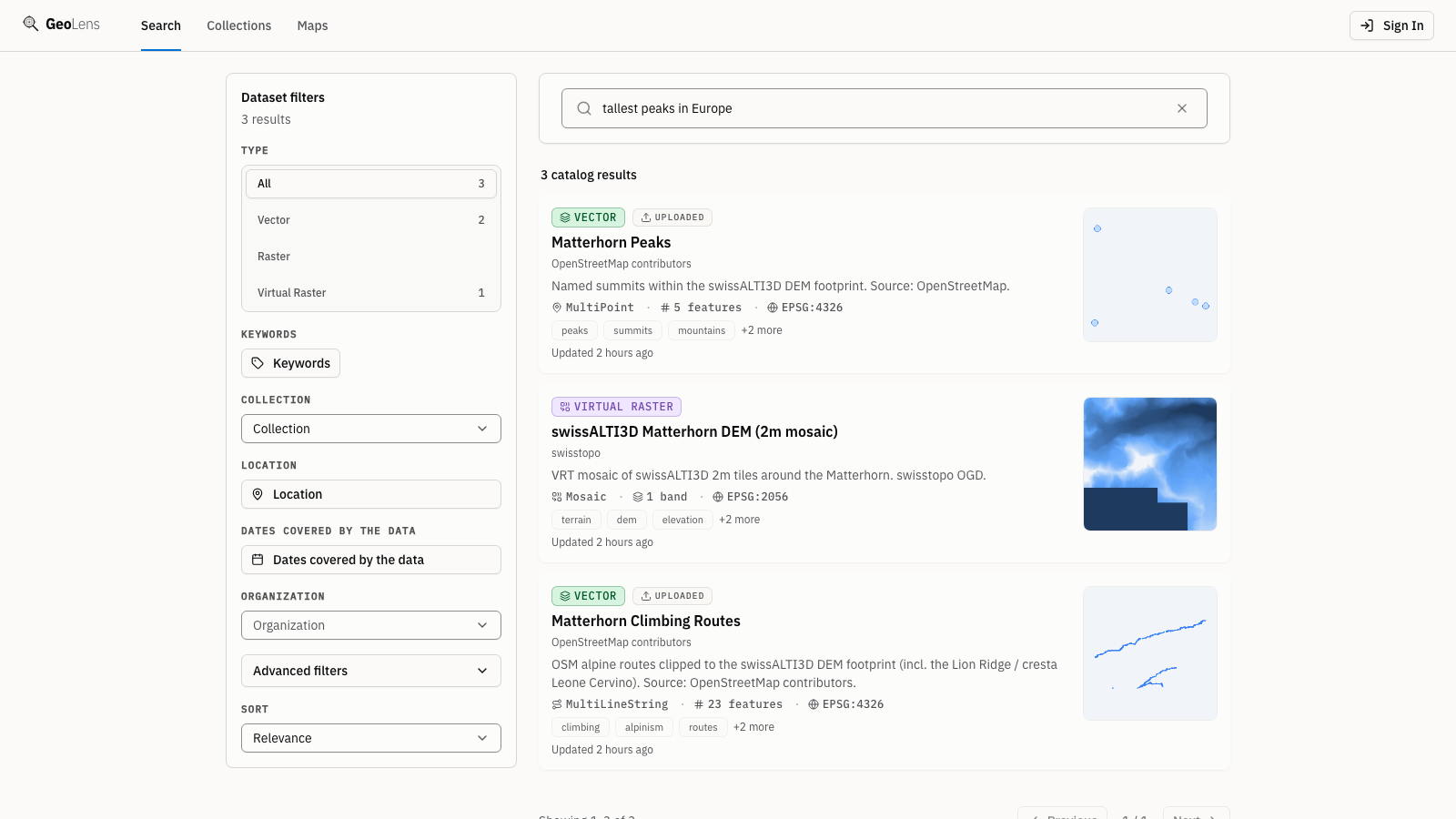
Ask for what you mean, not what someone named the file. Once an admin sets up semantic search and your catalog is indexed, "tallest peaks in Europe" finds your Matterhorn terrain model, whose name and metadata contain none of those words. Fuzzy keyword search works out of the box. Filter by type, geometry, CRS, or date, and preview datasets on a map before you export.
Create and share maps
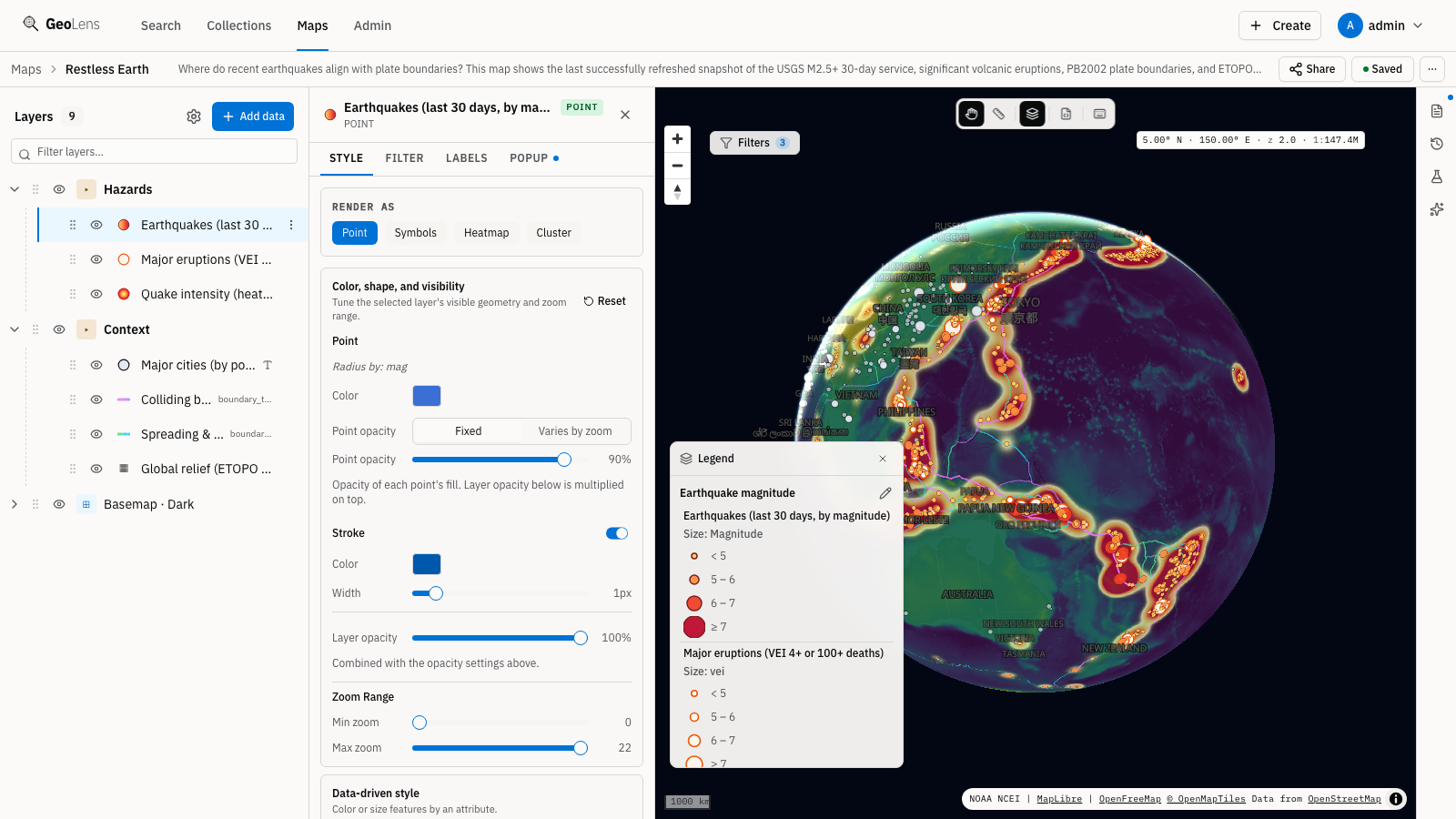
Combine vector and raster datasets from your catalog with point-and-click layer controls. Pick basemaps, reorder layers, adjust styling, and publish a shareable map URL without writing SQL or leaving the browser.
Analyze in place
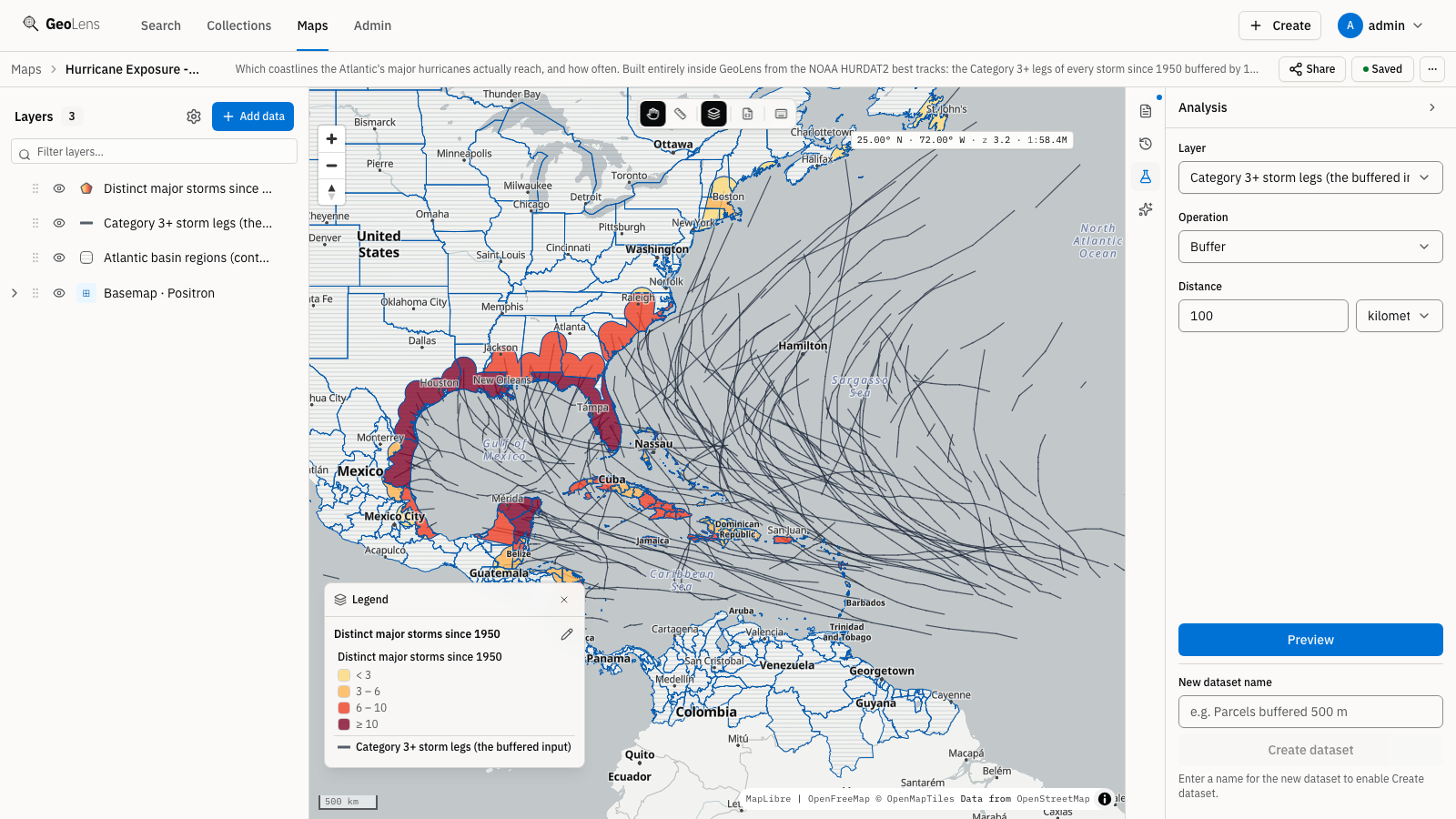
Buffer, clip, dissolve, spatial join and more run server-side in PostGIS, straight from the map builder. Preview the output on the map before you commit, then materialize it as a new catalog dataset. The hurricane exposure map shown here was built entirely inside GeoLens from public NOAA storm tracks.
Ingest the formats you already have
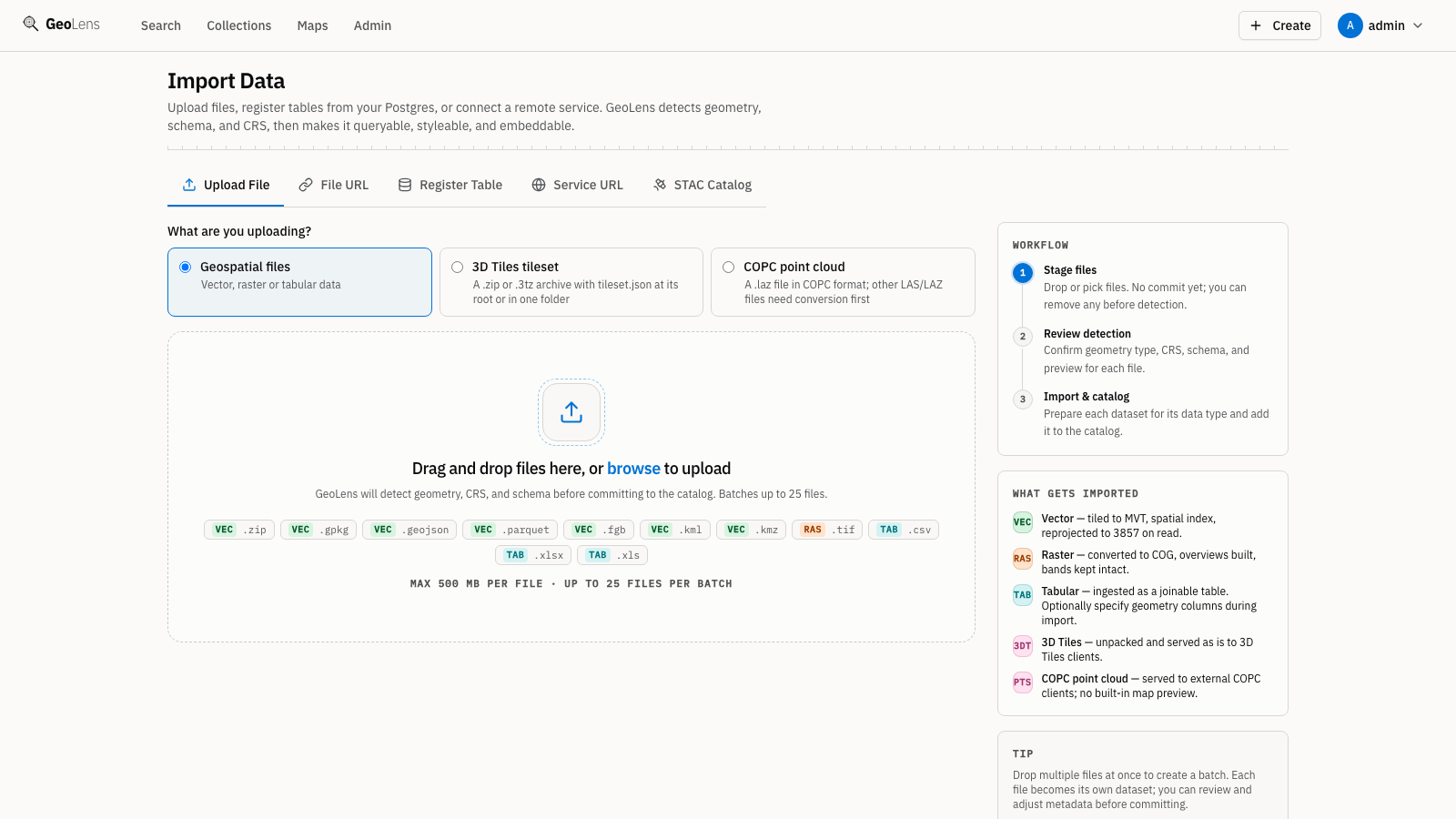
Drop a Shapefile, GeoPackage, GeoJSON, GeoParquet, CSV, XLSX, or GeoTIFF and GeoLens handles validation, CRS inspection, column sampling, and catalog indexing automatically. Metadata fills in from the file; you just click publish.
Raster and VRT mosaics
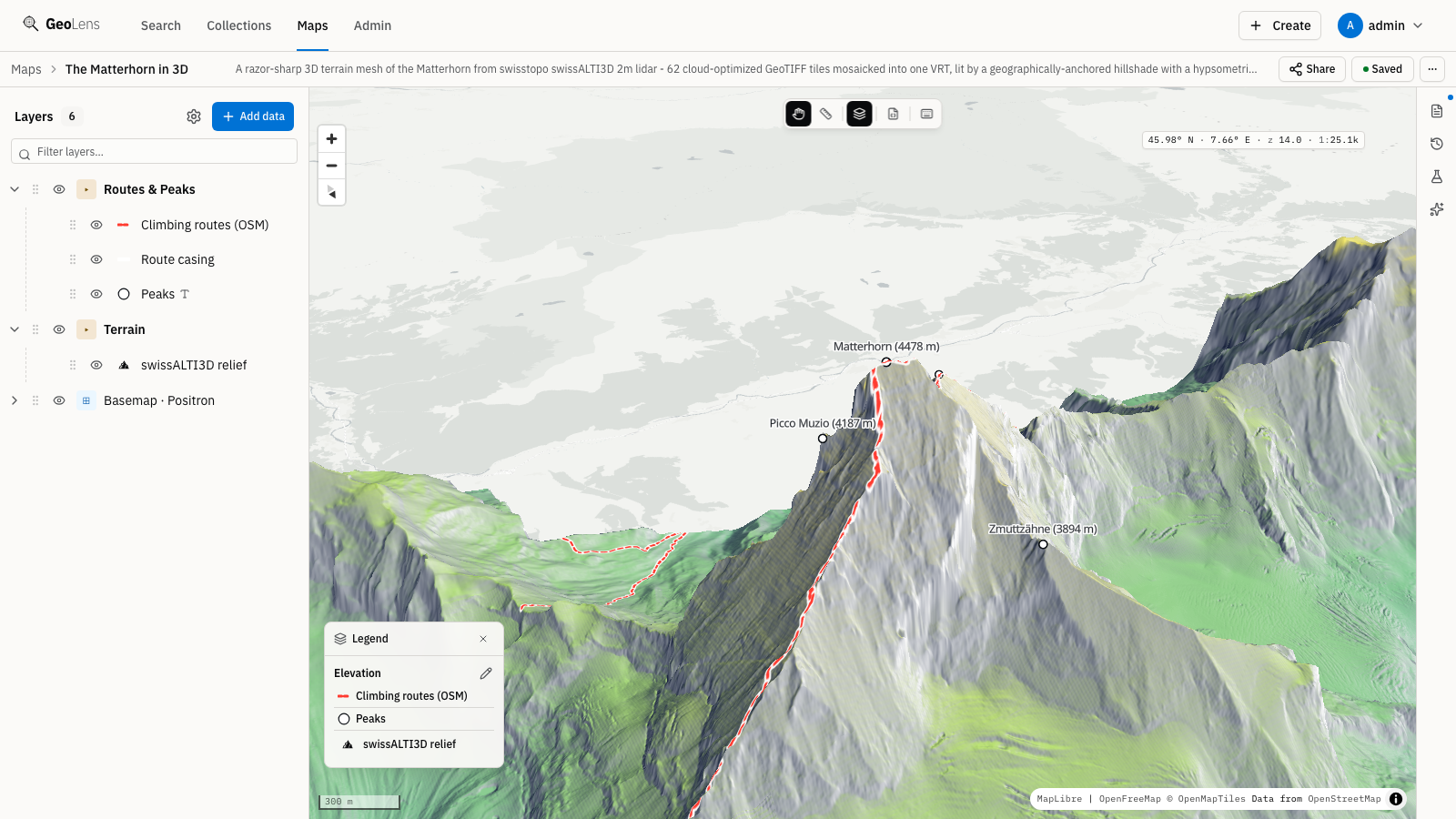
Stitch multiple Cloud-Optimized GeoTIFFs into a single VRT mosaic, then serve raster tiles via Titiler, with band selection, colormaps, and min/max stretch controls, plus a direct COG download from the dataset page.
AI-assisted exploration
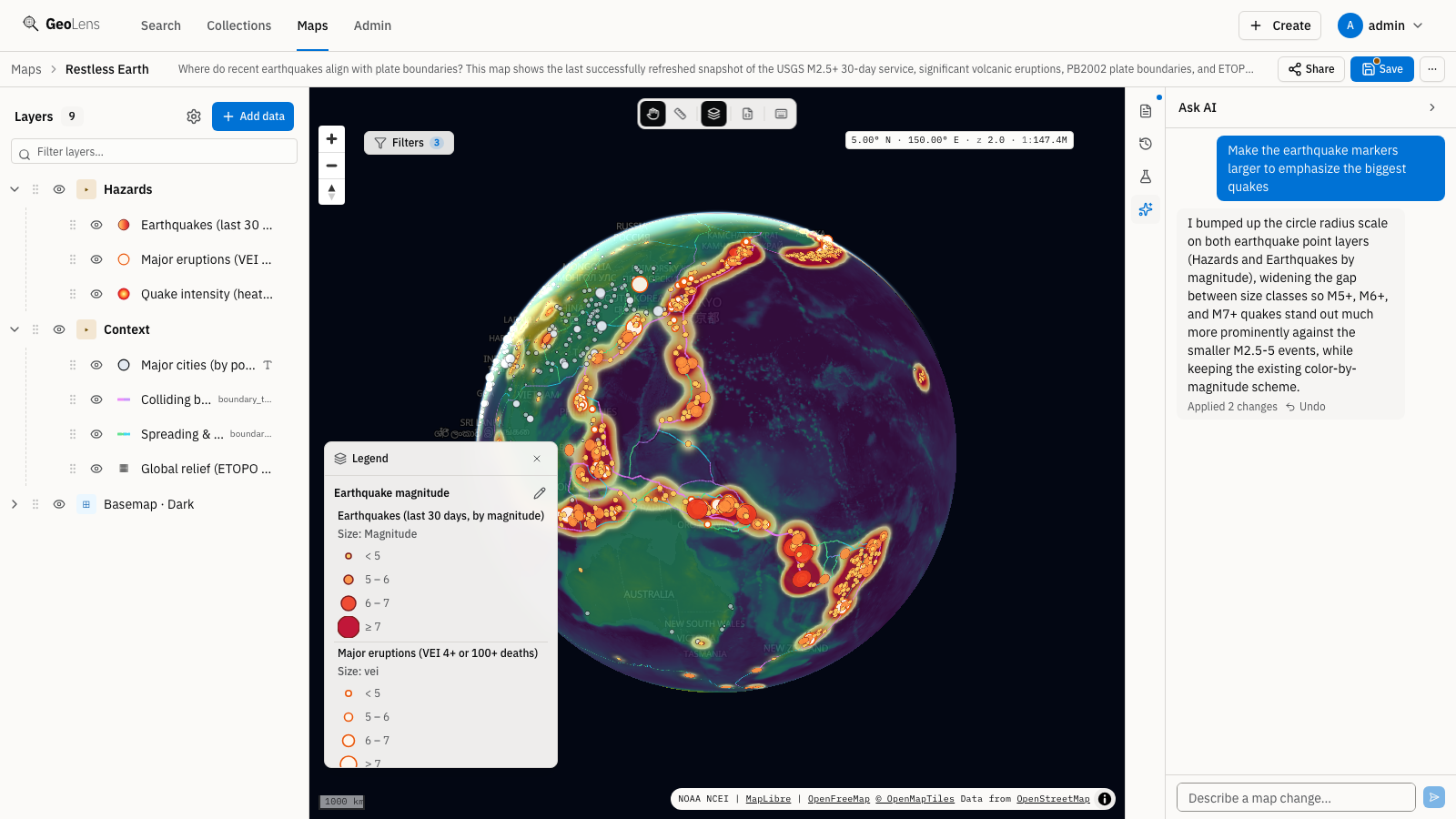
Configure an OpenAI-compatible endpoint (a local Ollama works) or Claude through Anthropic, Microsoft Foundry, Amazon Bedrock, or Google Vertex AI and chat with your GeoLens catalog. Ask which datasets cover a region, request a filtered layer, or inspect spatial relationships in natural language.
Role-based access control
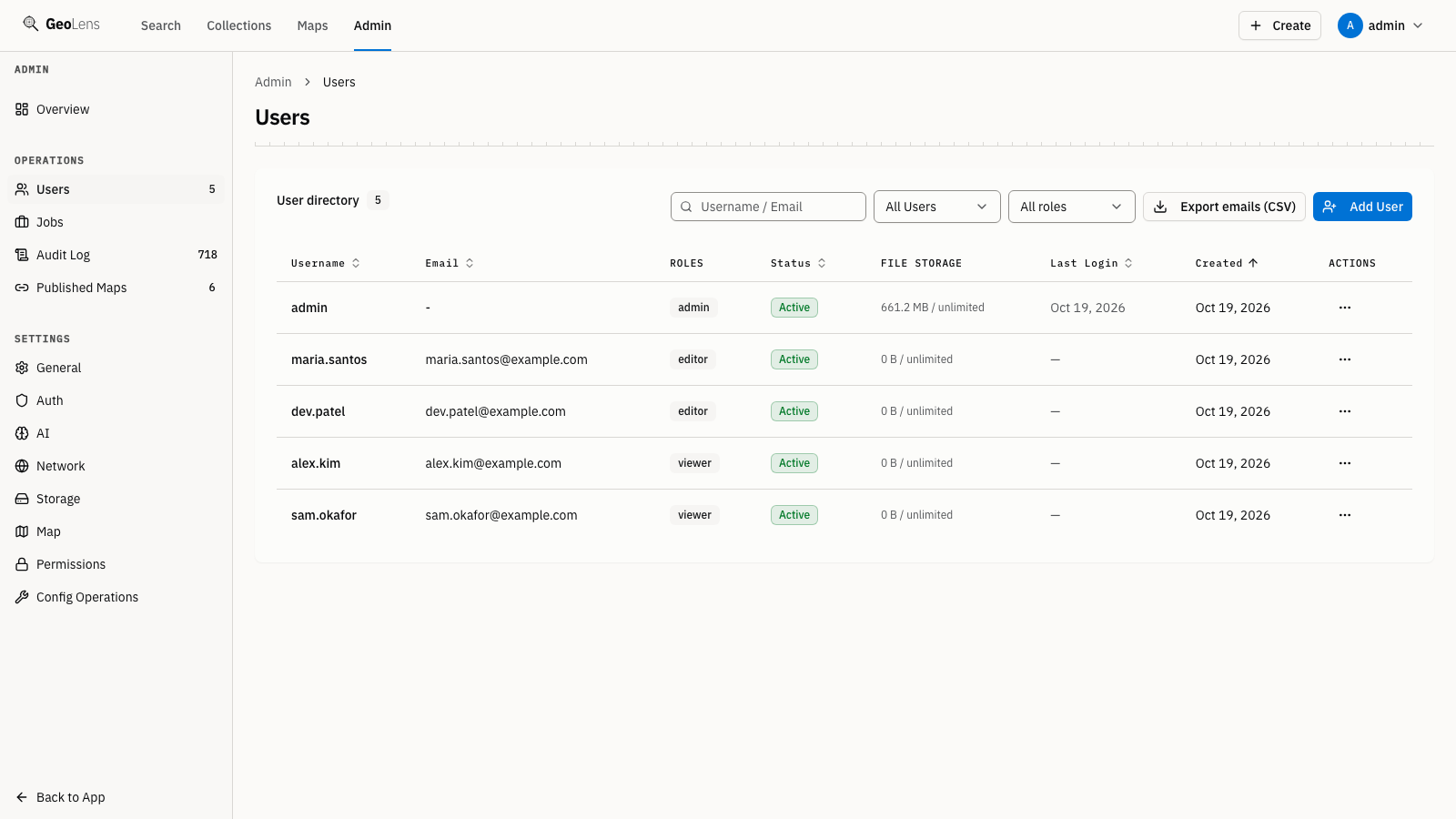
Assign roles, approve or reject users, and scope dataset visibility per dataset. GeoLens ships with admin, editor, and viewer roles plus JWT-based sessions and OAuth (Google, GitHub, Microsoft, OIDC).
Programmability
Everything you do in the UI is scriptable. Drive catalogs, datasets, and maps from the command line or your own code: define a catalog as a manifest, commit it to version control, and apply it in CI. The CLI and SDKs talk to the same open APIs.
Script catalogs and manifest-as-code from your terminal. Installs the geolens command.
pip install geolens-cli Build pipelines and integrations in Python against the full GeoLens API.
pip install geolens Embed GeoLens in JavaScript and TypeScript apps with a typed client.
npm install @geolens/sdk Point Claude Code, Cursor, or Codex at your catalog: six read-only tools for dataset search, schemas, features, maps, and sandboxed SQL queries.
pip install geolens-mcp GeoParquet in, GeoParquet out: export any vector dataset and query it straight from DuckDB.
INSTALL spatial; LOAD spatial;
SELECT * FROM 'my-dataset.parquet' LIMIT 10;Standards support
GeoLens serves OGC API Features and Records with CQL2, plus STAC and DCAT 3 metadata, so every dataset is reachable by standards-aware clients and your catalog travels in open formats. The Features and Records APIs return their advertised classes at /conformance.
Read and filter geospatial features by bounding box or CQL2 expression (text or JSON). Part 1 (Core) plus the Part 3 queryables and filter classes.
Discover datasets and records via OGC-standard catalog queries: browse collections, filter by metadata, and retrieve individual records as JSON.
Day-to-day operations
A catalog spends most of its life being maintained rather than built. Staleness, desktop client access, monitoring, backups, and the language people read it in all ship with the stack.
Datasets imported from an upstream source record when they were last refreshed and when GeoLens last reached that source. Give one an update frequency and the catalog labels it fresh, due, or overdue, on the dataset page and in search results. The label is advisory. GeoLens reports what it last saw rather than polling the upstream system.
Each person issues their own keys from settings, names them, and revokes them. A key can be read-only, and it authenticates the OGC API and STAC endpoints, so QGIS or ArcGIS points straight at a collection URL. Send it as an X-Api-Key header. A query-parameter form still works for tools that cannot set headers, but it is deprecated: the key ends up in access and proxy logs.
The API and the worker each serve /metrics in Prometheus format: request latency, job queue depth, refresh runs, database pool use, and tile cache hits. A scrape config, alert rules, and a Grafana dashboard ship in the repository. The endpoint stays inside the Docker network, and the bundled Nginx returns 404 for it at the public edge.
A backup container starts with the stack and dumps the database nightly, together with the upload staging volume and the cluster roles. It keeps seven daily and four weekly sets and can push them to S3-compatible storage. Restoring runs from one script, and the runbook covers verification, roles, and the object-storage step you do by hand.
The product interface is translated into English, Spanish, French, German, and Simplified Chinese. GeoLens picks one from the browser on a first visit, and anyone can change it in settings. A parity test fails the build when a locale falls behind, so the five stay in step.
Run the public installer, log in, and upload your first dataset. It lands on your own infrastructure, not ours. The Quickstart also covers the source checkout path.
curl -fsSL https://getgeolens.com/install.sh | sh Or script it: automate GeoLens from the command line or your own code.